
Call.com: 2nd Phone Number App
Call.comCommunication
4.398.00 Reviews
- Version
- 2.7.9
- Installs
- 1.00M
- Age Rating
- Everyone
Screenshots
Our Review of Call.com: 2nd Phone Number App
 Analysis by Appyee
I’d consider a second-number app when one phone has to serve two different parts of life: client calls and family, for example, or travel arrangements and everyday contacts. Call.com: 2nd Phone Number App is built around that separation. It gives calls and texts a different number to use, with video calling also part of its communication mix. The practical appeal is simple: I can share a contact number for a particular purpose without handing out the number tied to my personal life.
That convenience matters most when there is a clear boundary to protect. A freelancer can put a separate number on an invoice, a traveler can use one for trip-related conversations, and someone selling a used item can avoid exposing their usual contact details. It is less compelling if you only need to make an occasional call or if your existing mobile plan already gives you a convenient second line.
Choose the right role for a second line
Before installing, I’d decide what the new number is for and who will receive it. That sounds basic, but it prevents a common second-line problem: giving the number to everyone, then discovering that it has become just as noisy as the personal one. A work-only number is easier to manage if it stays on work profiles, business cards, and customer conversations rather than quietly spreading into every account and signup.
The app is published by Call.com and sits in the communication category. It is free to download, though in-app purchases range from $1.49 to $49.99 per item, so I would check the available options in the app before relying on a particular plan or usage pattern. Its audience rating is Everyone. The current version is 2.3.4, and the app requires Android 7.0 or later on Android devices.
There is an established audience for the service: it has an average rating of 4.6 from around 2,400 ratings and more than 500,000 installs. I treat that as useful context, not a promise that every call will sound the same on every network or that a second number will suit every situation. For a decision like this, the more important question is whether the line fits the way I actually communicate.
From setup to a useful routine
The original flow is straightforward: install the app, choose an area code, and select a number. That area-code choice is worth a moment of thought. If I’m using the line for a local service or a group of clients in one region, a familiar area code can make the number feel appropriate. If the number is mainly for travel or privacy, familiarity may matter less than having a dedicated line I can keep separate from my personal contacts.
Once the number is ready, I’d make the first interaction a small test rather than immediately putting it on a public profile. Send a text to someone I trust, place a short call, and ask them to reply. This checks the whole route—from choosing the second number to the other person receiving a message and responding—before customers or time-sensitive plans depend on it. It also gives me a chance to notice which number appears in the conversation and to make sure I’m using the intended line.
For a realistic workday, imagine a freelance designer sharing the app number with a new client. The client calls to discuss a deadline, sends a follow-up text, and later replies with a question after the workday ends. The separate number keeps that exchange distinct from personal conversations, while blocking unwanted callers offers a way to deal with calls that are no longer relevant. The useful outcome is not just an extra number; it is a clearer boundary, provided the freelancer remembers to check that line when a client is waiting.
Handing conversations between people and lines
There is a small but important habit involved in using a second number: telling people which line to use and then answering from that line consistently. If a customer first texts the app number but later gets a call from my regular number, the separation becomes confusing. I would save the contact with a label that makes its purpose obvious and, when starting a conversation, state plainly that replies should go to the second number.
That discipline is especially useful when several people share responsibility for a task. A small business owner might give the app number to customers while keeping a personal number private, but the owner still needs a routine for checking incoming messages and handing a conversation back to a colleague or another channel. The app can separate the public-facing contact point; it cannot decide who is responsible for replying or ensure that nobody overlooks a message.
Getting Started with Call.com
First things first, downloading the Call.com: 2nd Phone Number App is as straightforward as it gets. Available on both Android and iOS, it’s just a quick search away in your app store. Once installed, you're greeted with a clean, intuitive interface that doesn’t require a degree in rocket science to navigate. I love apps that make setup easy, and this one certainly ticks that box.
Upon opening the app, you're prompted to choose your desired area code, which is perfect if you’re looking to establish a local presence somewhere specific. In just a few taps, you've got yourself a new phone number. No contracts, no hassle—just pure convenience.
User Experience and Features
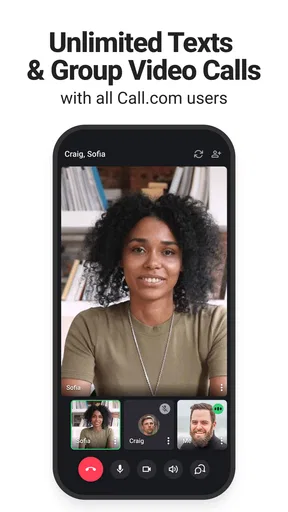
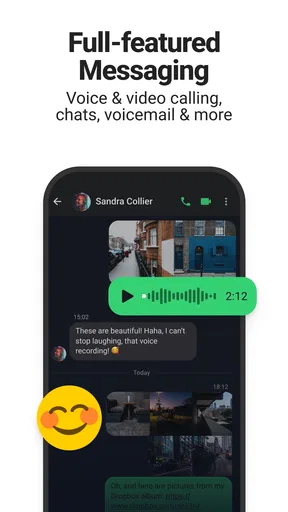
The app doesn’t stop at just offering a second number; it's packed with features designed to make communication seamless. You can make and receive calls, send texts, and even share multimedia messages. One thing I noticed right away was the call quality. It's crystal clear, which is crucial whether you’re negotiating a business deal or catching up with an old friend.
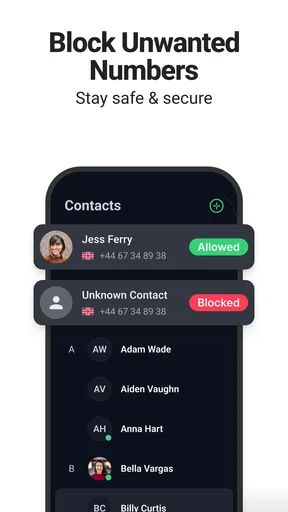
Privacy is another big win here. The app keeps your personal number hidden, so you can communicate without worrying about your actual number being exposed. Plus, with the ability to block unwanted calls, you’re in control of who gets through to you.
Customization and Flexibility
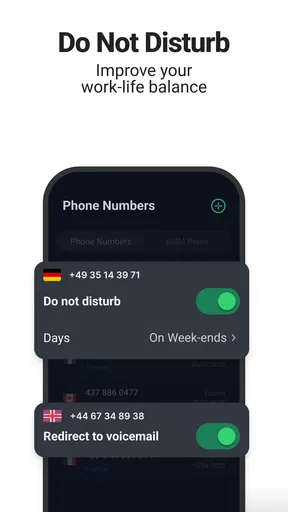
Customization is where Call.com really shines. You can personalize your voicemail greetings, set unique ringtones for different contacts, and even schedule "Do Not Disturb" times for those moments when you need a break from the digital world. It’s like having a personal assistant in your pocket.
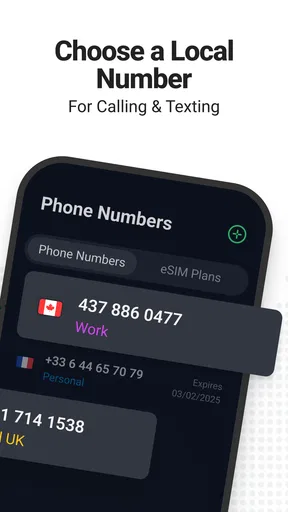
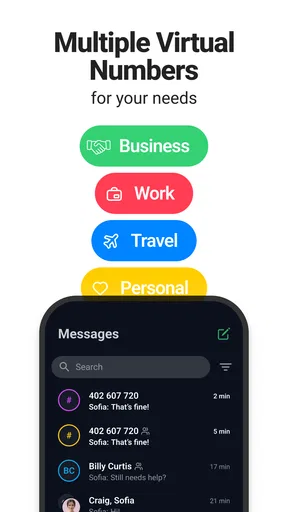
Moreover, the app allows you to manage multiple numbers from a single interface. This is particularly handy for small business owners or freelancers who need to keep their work and personal lives separate. No more carrying around two phones or switching SIM cards!
For work, I’d keep the voicemail greeting specific to the purpose of this line. A customer who reaches a business number should not have to guess whether it belongs to the right person, and a personal-sounding greeting can blur the boundary the second number is meant to create. A short, neutral message also remains useful if the number later shifts from client work to travel planning.
Do Not Disturb scheduling can support that boundary, but it works best as part of a routine rather than a substitute for one. I’d decide in advance when the line should be quiet and make sure the people who depend on it know when I usually respond. The trade-off is that a useful filter can also delay a genuinely urgent message, so I would not set a long silent period for a line that customers expect me to monitor closely.
What a second number can and cannot replace
Compared with giving out a regular mobile number, a dedicated app number gives me a cleaner way to keep public or temporary conversations apart from personal ones. Compared with carrying a second phone or arranging a separate SIM, it can be a simpler single-device approach. Those alternatives may still be better when I need a distinct physical handset, a carrier-based line, or a setup that does not depend on opening a communication app.
It is also different from using a messaging service tied to an existing account: the point here is a separate number for calls and texts, rather than merely another chat profile. That distinction is useful for people who need a number they can give to clients or contacts who expect ordinary phone communication. If nearly all of my conversations already happen inside one messaging platform, however, a separate number may add another inbox to monitor without solving a real problem.
Travel is a plausible use, but I would treat the app number as a communication tool, not assume it replaces every local mobile service. A traveler can share a separate contact number for arrangements and keep their usual number private, yet should still check that the app suits the places and connections involved before depending on it for an important handoff. For urgent travel details, I’d keep a backup way to reach the other person rather than make one app the only route.
Pricing and Value
While the app is free to download, using the service comes with a subscription fee. However, considering the convenience and peace of mind it offers, it's a small price to pay. The subscription plans are flexible, allowing you to choose a monthly or yearly plan based on your needs. There’s even a free trial, so you can take it for a spin before committing.
The value here is undeniable. For anyone needing a second phone number, Call.com offers an affordable and feature-rich solution that doesn’t compromise on quality or security.
I would still make the cost decision around the life of the number, not just the initial setup. If I need it for a short project, I’d check the current in-app purchase choices and understand what happens to the number and service before paying. For ongoing client work, I’d compare the recurring expense with the hassle of using a personal number or maintaining a second device. The listed in-app purchase range is $1.49 to $49.99 per item, so the right value depends on the option that matches the way I plan to use it.
A useful test is to ask whether the separate line will prevent a real inconvenience: unwanted calls reaching a personal number, clients mixing with family conversations, or travel contacts needing a dedicated point of contact. If none of those applies, the free download alone is not a reason to add another communication channel. I would skip it if I’m unlikely to check the second inbox, need a guaranteed business-grade calling arrangement, or simply prefer one number and one place for every conversation.
Final Thoughts
In a world where privacy and professionalism are more important than ever, having a reliable second phone number is a game-changer. The Call.com: 2nd Phone Number App delivers on its promises with ease of use, robust features, and excellent call quality. Whether you're managing a business, protecting your personal number, or simply need an extra line, this app has you covered.
So, if you’re in the market for a second phone number and want something that’s both simple and effective, give this app a try. It might just become your new favorite tool in the digital toolbox.
My overall recommendation is conditional in a useful way: this is a sensible choice when I have a defined reason to separate conversations and the discipline to maintain that separation. I’d start with one clear purpose, test a call and message, then share the number only with the people who need it. If the extra line makes my day calmer and keeps personal contact details out of routine exchanges, it has earned its place. If it becomes one more inbox I forget to check, a regular number or a different arrangement will be the better fit.
Verdict
Strengths of Call.com: 2nd Phone Number App
- Easy setup process for new users.
- Offers a variety of number options.
- Affordable subscription plans.
- Good call quality and clarity.
- Supports both calls and texts.
Limitations of Call.com: 2nd Phone Number App
- Limited free trial period.
- Occasional app crashes reported.
- Some features require premium.
- Ads in the free version can be intrusive.
- Limited international number availability.
Similar Picks in This Category
View All
Google Messages
Google LLC4.6

Gmail
Google LLC4.1

Google Meet
Google LLC4.4

Google Chrome
Google LLC4.1

WhatsApp Messenger
WhatsApp LLC4.6

Carrier Services
Google LLC4.2
Frequently Asked Questions
What is Call.com: 2nd Phone Number App, and how does it work?
Call.com: 2nd Phone Number App provides users with an additional phone number for calling and texting without requiring a second SIM card. It works by utilizing your internet connection to manage calls and messages, ensuring your primary number remains private. This app is ideal for business use, online transactions, or any situation where you want to keep your personal number confidential.
Is Call.com: 2nd Phone Number App secure and private?
Yes, Call.com prioritizes user privacy and security by encrypting all communications. The app ensures that your primary phone number is never revealed during calls or messages. Additionally, it does not store any text or call history on its servers, offering users peace of mind regarding their data privacy.
What are the costs associated with using Call.com: 2nd Phone Number App?
Call.com offers various pricing plans depending on your needs, including monthly and annual subscriptions. While the app provides some free features, certain functionalities such as international calls or additional numbers may require in-app purchases. It's essential to review the pricing details to select a plan that suits your requirements.
Can I use Call.com: 2nd Phone Number App for international calls?
Yes, Call.com supports international calls, but this feature might require an additional fee depending on the country you are calling. The app provides competitive rates for international communication, making it a cost-effective solution for users needing to connect with people abroad. Check the app's rate list for specific countries to understand potential charges.
What platforms is Call.com: 2nd Phone Number App available on, and is it easy to set up?
Call.com is available for both Android and iOS platforms. Setting up the app is straightforward; simply download it from the respective app store, sign up, and choose your preferred number. The user-friendly interface guides you through the setup process, allowing you to start making calls and sending texts within minutes.
